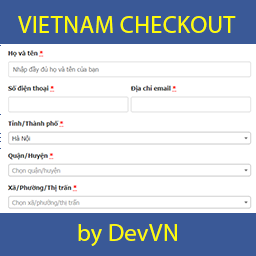
WooCommerce checkout for Vietnam
Vietnam Checkout for WooCommerce Pro is designed for WooCommerce websites selling within Vietnam. It adapts the checkout form to local address structures and purchasing workflows by adding selectable provinces or cities, districts, and wards, communes, or towns.
The plugin also simplifies the checkout layout by changing common field labels and moving address information into a more suitable order. Instead of separate First name and Last name fields, the checkout can use a single Họ và tên field. The address field is moved to the end, while selected fields that are not needed can be hidden.
Regional address fields
- Add a province or city selector.
- Add a district selector.
- Add a ward, commune, or town selector.
- Add a phone number field for shipping.
- Display the recipient phone number on the invoice.
These fields help stores collect delivery information according to the administrative areas used in Vietnam. The province data is provided as arrays, so the plugin does not add SQL for this address information.
Pro shipping rules
The Pro edition adds shipping fee calculation for different Vietnamese locations. Store owners can configure shipping costs to the province or city, district, and ward, commune, or town levels.
Shipping can also be calculated according to the order total for districts. For example, a store may charge a standard shipping fee in Hanoi and offer free shipping for orders above a selected value, such as 500,000 VNĐ. Weight-based shipping can be calculated for districts and for wards, communes, or towns.
Currency and payment options
The plugin changes the displayed currency symbol from ₫ to VNĐ. It also supports payment through PayPal, including an adjustable exchange rate from VNĐ to the currencies supported by PayPal.
Practical checkout workflow
After activation, the plugin applies its checkout changes without requiring additional installation steps. Additional functions can be managed in the plugin settings area. This provides a straightforward workflow for stores that need localized address fields, streamlined form presentation, and location-based shipping charges.
The plugin can also be used with a newly added checkout page rather than only the default checkout page. If province or city fields do not load on that page, the supplied guidance recommends adding add_filter(‘vn_checkout_allow_script_all_page’, ‘__return_true’); to the active theme’s functions.php file.
Installation
- Install the plugin on the WooCommerce website.
- Activate the plugin.
- Open the plugin settings to review its additional options.
- Configure location-based shipping rules when required.
- Test the checkout fields and shipping calculations before accepting orders.
Vietnam Checkout for WooCommerce Pro is suited to Vietnamese online stores that need a more locally relevant checkout and shipping setup.