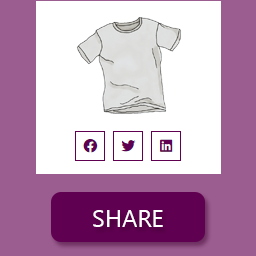
Product sharing for WooCommerce
Social Share for WooCommerce PRO adds actionable social media icons to WooCommerce product pages. It gives customers a direct way to share products on selected social platforms, helping store owners place sharing tools where shoppers can see and use them. The Pro edition builds on the product-sharing workflow with additional controls for placement, appearance, variation links, and access to available platforms.
Customers can share products with a single click using the social icons displayed on the store. The extension also supports copying a product link to the clipboard, giving visitors another simple way to pass a product URL to someone else.
Choose platforms and placement
Select the social media icons you want to make available, then arrange their order with drag and drop. This lets you place the preferred social channel first and create a consistent sequence across product pages.
On single product pages, icons can be displayed with the product category name, after the product title, or after the product price. You can also hide the icons from those locations. Pro adds floating social share icons on the left or right side of the browser window. When floating icons are enabled, the other icon locations can be hidden to avoid displaying the same controls in multiple places.
The plugin can also display a social share icon on the shop or archive page, allowing products to be shared directly from product listings rather than only from individual product pages.
Share layouts and customer access
Control whether each social sharing item shows only an icon, only text, or both icon and text. The default text is “Share On,” and the available presentation choices let you match the sharing controls to the surrounding product-page content.
A pop-up modal can provide access to all available social icons while keeping the main product page focused on the most popular platforms. A shortcode, [psfw_basic_share], is also available for placing social icons in another spot on a page. This can be useful with page builders such as Elementor, Divi, and Beaver Builder.
Pro design controls
- Display floating icons on the left or right side of the browser window.
- Add tooltips to the social sharing items.
- Allow customers to share specific variation links, including links shared through the pop-up modal.
- Customize the color of the social share icons.
- Adjust font size and choose normal, lighter, or bold font weight.
- Change the size of the social platform icons.
- Customize hover styles for the sharing items.
- Set tooltip text and background colors.
The available appearance controls make it possible to adapt the sharing interface to a store’s existing design. Round and square icon shapes are available, while color, typography, sizing, hover behavior, and tooltip settings provide further control over the presentation.
Practical store workflow
- Select the social platforms customers should see.
- Arrange the icons in the desired order.
- Choose product-page, floating, shop-page, shortcode, or pop-up placement.
- Enable copy-to-clipboard and variation-link sharing where appropriate.
- Adjust labels, tooltips, colors, sizes, font settings, and hover styles.
Installation and setup
Install Social Share for WooCommerce PRO on the WooCommerce store, then configure its sharing, placement, and appearance options. Choose the desired icons and display locations, review the variation-link and pop-up settings, and use the shortcode when sharing controls need to appear in another page location.