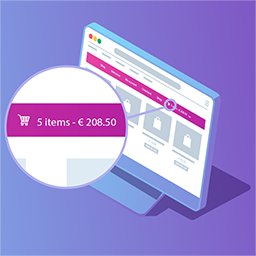
Put the cart where shoppers can see it
WP Menu Cart Pro adds a shopping cart button to your WordPress navigation bar. It works with WooCommerce and Easy Digital Downloads, including Easy Digital Downloads Pro, giving customers a visible way to review their current cart while browsing your site.
The plugin is designed for a quick setup and can adapt the cart display to your existing menu styling. You can choose what the navigation item shows and decide when it appears, making it suitable for stores that want a compact cart indicator or a more informative menu element.
Choose the cart display
WP Menu Cart Pro lets you select from more than 10 cart icons and control the information shown beside or instead of the icon. Display the number of items, the price, or both, depending on the space available in your navigation and the shopping experience you want to create.
- Choose from over 10 cart icons.
- Display the cart icon, items, prices, or a combination.
- Show the cart at all times or only when it contains items.
- Float the cart left or right, or use your menu’s default settings.
- Customize the cart with your own CSS.
- Add a custom CSS class for more targeted styling.
Give customers useful cart details
The Pro edition includes a fully featured cart details flyout. Customers can use the navigation cart to see more information without leaving the page they are viewing. This keeps cart access close to the main menu and can be useful for product catalogs, digital stores, and other sites where visitors move between pages before checking out.
If your site uses more than one navigation menu, Pro allows you to add the cart and its flyout to unlimited menus. A shortcode is also available when you need to display the cart somewhere else on your site rather than placing it only in a navigation bar.
Flexible placement and styling
The cart automatically conforms to your site’s styles, reducing the need for extra design work. You can still customize its appearance with CSS and apply a custom class when your theme or menu structure calls for more specific control. The available positioning choices let you align the cart with the layout of each menu.
Installation and supported stores
Install and activate WP Menu Cart Pro in WordPress, then configure the cart display and menu placement. Connect it with WooCommerce or Easy Digital Downloads, including Easy Digital Downloads Pro, and choose the icon, item and price settings, visibility behavior, styling, and menus you want to use. Pro also includes automatic updates for new features and quick, thorough support.