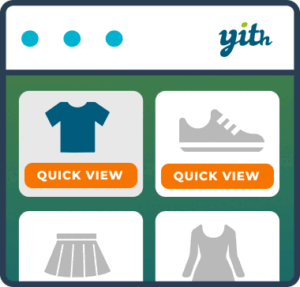
Product previews from the catalog
YITH WooCommerce Quick View Premium helps WooCommerce stores show product details without requiring shoppers to leave the shop page. Customers can open a product preview in a modal window, review selected information, and continue shopping from the catalog.
The premium edition is designed for stores where visitors compare products or need to inspect several items before choosing what to buy. A quick preview can include product details, purchasing controls, and a product image gallery, giving shoppers more context while they browse.
Flexible Quick View controls
Premium adds several ways to present the Quick View trigger. You can use a button with an icon, upload a custom icon, or display the button when a customer hovers over the product image. You can also use a shortcode or Gutenberg block to let visitors preview a specific product in other locations across the store.
The preview can appear in a cascading section or in a sidebar. You can select an opening animation and configure the modal window’s height and width to suit the catalog design and the amount of information shown.
Choose the content shoppers see
YITH WooCommerce Quick View Premium lets you decide which product information to show or hide. Available choices include the product image, name, rating, price, and Add to cart button. This makes it possible to create a compact preview or a more complete product overview.
The product image gallery can be hidden, displayed in a classic style, or presented as a slider. A link to the product detail page can also be displayed, allowing customers to move from the preview to the full product page when they need more information.
Shopping actions and engagement
After a shopper adds an item to the cart, you can choose whether the Quick View closes or redirects the customer to the Checkout page. You can also customize the Add to cart button so it fits the store’s presentation.
Social icons can be enabled for sharing the product Quick View. This gives customers a direct way to share a product preview while keeping the catalog browsing experience in view.
Practical workflow
Choose how customers should open previews, then select the modal placement, dimensions, animation, and product information to display. Configure the image gallery style and decide whether to include a product-detail link. Finally, choose the post-cart behavior and customize the Add to cart button.
This setup works well for product catalogs where shoppers need to compare names, images, ratings, prices, and purchase options without repeatedly returning to the shop page.
Installation and setup
Install YITH WooCommerce Quick View Premium alongside WooCommerce, then configure the Quick View presentation for your catalog. Select the trigger style, modal layout, content, gallery behavior, navigation, sharing options, and cart action. Review the result on the shop page and adjust the settings to match the store’s browsing workflow.