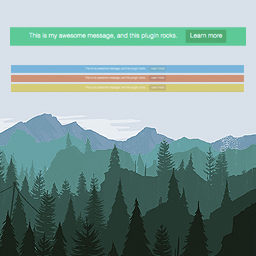
Simple website announcements
Top Bar Pro is a WordPress plugin for adding a clean notification bar to the top of a website. Use it to display a message to visitors together with a custom link and button. The focused layout is suitable for announcements, notices, calls to action, and other short messages that need a visible place on the page.
The plugin provides a straightforward set of fields and options for managing the bar. You can enter the message, define button text, add a button URL, choose a color, and set the bar status to active or inactive. The result is a practical announcement area that can be adjusted without adding a separate content block to each page.
Paid controls for the notification bar
The PRO version adds controls for how the bar appears and how visitors interact with it. Users can be allowed to close the Top Bar, while the initial state can be selected to determine how it starts. You can also add a bottom border and choose a time before the bar appears.
- Allow users to close the Top Bar.
- Choose the initial state.
- Add a bottom border.
- Set a time before the Top Bar appears.
- Position the bar at the bottom.
- Set visibility for guests or registered users.
- Change the font size.
- Keep the bar visible while visitors scroll.
These options make the plugin useful when different visitors should see different notices or when an announcement should remain available during page navigation. The guest and registered-user visibility settings can help separate public notices from messages intended for logged-in members.
Practical uses
Use Top Bar Pro for a short site-wide notice, a message connected to a custom destination, or a button-led announcement. The active or inactive status provides a simple way to control whether the bar is displayed. Bottom positioning offers another presentation choice when the top of the page is already occupied, while the timing option can delay its appearance.
Color, font-size, message, button text, and button URL can be combined to create a bar that fits the purpose of the announcement. The scrolling option is useful when the message should remain visible as visitors move through a page.
Translation and help
Fully translatable POT files are included in the /lang/ directory. Documentation is available for information about using the plugin, and help can be found on the plugin’s support platform.
Installation
Install Top Bar Pro as a WordPress plugin, activate it, and configure the available fields and options. Add the message, button details, color, status, and preferred display controls, then save the settings. Use the documentation for further guidance on plugin usage.