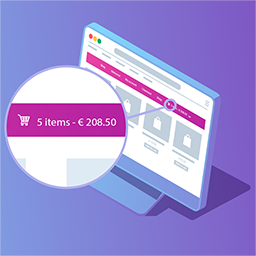
Shopping cart access in your navigation
Menu Cart Pro adds a shopping cart button to your site’s navigation bar for stores using WooCommerce or Easy Digital Downloads. It is designed to keep cart information visible while visitors browse, without requiring a separate cart link in every menu.
The cart can display an icon, item information, prices, or a combination of these elements. You can also choose whether the button always appears or is shown only when the cart contains items. Position it on the left, on the right, or according to your menu’s default settings.
Paid features for a more flexible cart display
- Cart icon selection: Choose from more than 10 cart icons to suit the visual style of your site.
- Cart details flyout: Give visitors access to a fully featured flyout with cart details from the navigation area.
- Unlimited menus: Add the cart button and flyout to unlimited menus.
- Custom CSS class: Add a custom class for more targeted styling and integration with your site’s design.
- Shortcode support: Display the cart in other locations across your site with a shortcode.
- Automatic updates: Receive automatic updates when new features are available.
Practical store uses
Use Menu Cart Pro on a WooCommerce shop where customers need a persistent view of their current cart while moving between product and category pages. It also supports Easy Digital Downloads, including Easy Digital Downloads Pro, making it suitable for sites selling downloadable products.
The navigation placement keeps the cart close to the main browsing experience. For layouts that need more control, the custom CSS class can help you apply styling rules, while the shortcode makes it possible to place the cart elsewhere on the site. The cart automatically conforms to your site’s styles, so the basic presentation requires no extra work.
Setup and configuration
Installation and initial setup are designed to take less than a minute. After installing the paid plugin, configure the navigation cart for your store, select the information it should display, and choose its visibility and alignment settings.
Next, select a cart icon, enable the cart details flyout if required, and assign the cart to the menus where it should appear. If you need a separate placement, use the supplied shortcode. Add the custom CSS class when further styling control is needed.
Platform support
Menu Cart Pro supports WooCommerce, Easy Digital Downloads, and Easy Digital Downloads Pro. It also includes translations for a range of languages, including English, German, French, Spanish, Portuguese, Dutch, Italian, Polish, Swedish, Turkish, Vietnamese, and others.