A configurable loading experience for WordPress
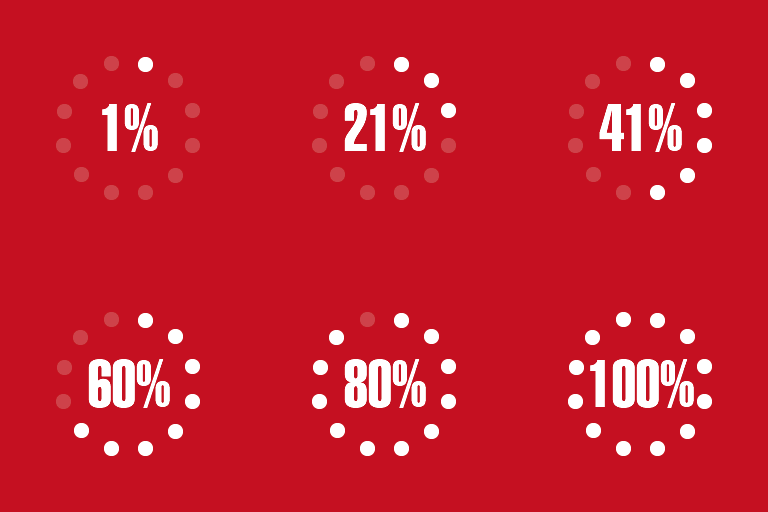
Loading Page with Loading Screen Premium displays a loading progress screen while images on a page are pre-loaded. The screen shows the loading percentage and disappears when the loading process is complete, allowing visitors to see when the page appearance is ready. It can be used on a homepage, across the website, or on selected pages and posts.
The premium edition adds loading-screen alternatives and multiple animation choices. This gives site administrators more control over how the progress screen appears and how page content is revealed after loading finishes. The available presentation can be adjusted through the plugin settings rather than requiring changes to page content.
Screen styles and targeting controls
Choose from loading screen types such as bar, logo, and text, including additional loading screens available in the premium version. The screen can display or hide the loading percentage, depending on the preferred presentation.
Appearance settings include a selectable progress-screen color, background color, and background image. Background images can be tiled or centered, and the image can be displayed in fullscreen. These options make it possible to coordinate the loading screen with a website’s design.
The loading screen can be configured for the homepage, all pages, or specific pages and posts identified by their IDs. You can also exclude selected pages or posts. Device settings allow the screen to be shown on desktop, mobile, or both.
Lazy loading and image placeholders
Premium features include lazy loading for images. With lazy loading enabled, original images are not loaded until the page reaches the loading stage where they are needed, which can help reduce bandwidth consumption and loading time, particularly on pages containing multiple images.
An image can also be selected as a placeholder during the pre-loading process. The placeholder replaces the original images while the loading page process is underway. The plugin documentation recommends choosing a lightweight placeholder image for this purpose.
Practical uses
This plugin is useful for image-heavy pages where visitors benefit from a clear indication of loading progress. It can support pages with large visual sections, galleries, or content that requires image pre-loading. Page targeting and device controls allow the loading screen to be limited to the locations and screens where it is needed.
Installation and configuration
Install and activate the plugin in WordPress. Open the plugin settings from Settings > Loading Page or from the plugin description in the Plugins area. Enable the loading screen, select its page or post scope, choose the devices, and set any exclusions.
Next, select the loading screen style, configure the progress and background colors, and add a background image if required. You can enable percentage text, select an animation for displaying page content, and configure lazy loading and the image placeholder in the available settings.