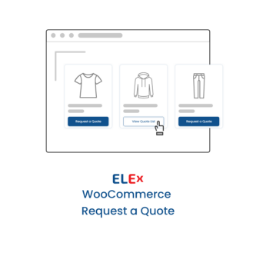
Turn product interest into quote requests
ELEX WooCommerce Request a Quote Premium gives WooCommerce stores a structured way to collect and manage customer quote requests. Instead of requiring every visitor to use the standard purchase path, you can present a Request a Quote option for products that need discussion, negotiated pricing, or additional sales attention.
The plugin supports both simple and variable WooCommerce products. Its frontend quote form can be designed and personalized from your website, helping you collect the information customers need to share while keeping the request experience connected to your store.
Control where quote requests appear
Premium controls let you include or exclude Request a Quote functionality according to product categories, tags, product names, and user roles. This is useful when only selected products, customer groups, or purchasing situations should use a quotation workflow.
You can also disable quote requests for unregistered users. This gives store administrators a way to direct visitors toward account creation or restrict quotation activity to defined audiences.
When a quotation process should replace direct purchasing, the plugin can hide the Add to Cart button. Premium rules also support excluding Add to Cart functionality based on product categories, tags, names, and user roles. These controls can help separate products intended for immediate checkout from products that require a conversation before purchase.
Keep customers and administrators informed
Automated email notifications can be sent to customers and administrators when a quote request is submitted. The notification workflow also covers quote approvals and rejections, making it easier to communicate changes in status without relying on manual messages for every request.
For administrators, the plugin provides options to receive Google Chat and SMS notifications when a customer places a quote request. Email, SMS, and chat body templates can be customized so internal alerts contain the wording and context your team needs.
Customer notification emails can also be customized for received, approved, and rejected quote requests. Dynamic placeholders and HTML tags are supported for these customer-facing messages, allowing you to create clearer updates while retaining information that can change from one request to another.
Practical WooCommerce workflows
- Use quote requests for selected products that need customer discussion before purchase.
- Support quotation forms for both simple and variable products.
- Show or hide quote functionality according to product details and user roles.
- Replace the Add to Cart path for products handled through a sales-led process.
- Send customer updates and administrator alerts through configured notification channels.
Installation and setup
Install ELEX WooCommerce Request a Quote Premium in your WordPress site, then open its settings to configure the frontend quote form and notification behavior. Choose the products and users that should see Request a Quote, decide whether Add to Cart should be hidden or excluded, and customize the administrator and customer message templates. Finally, configure the available email, SMS, and Google Chat notifications for your preferred workflow.