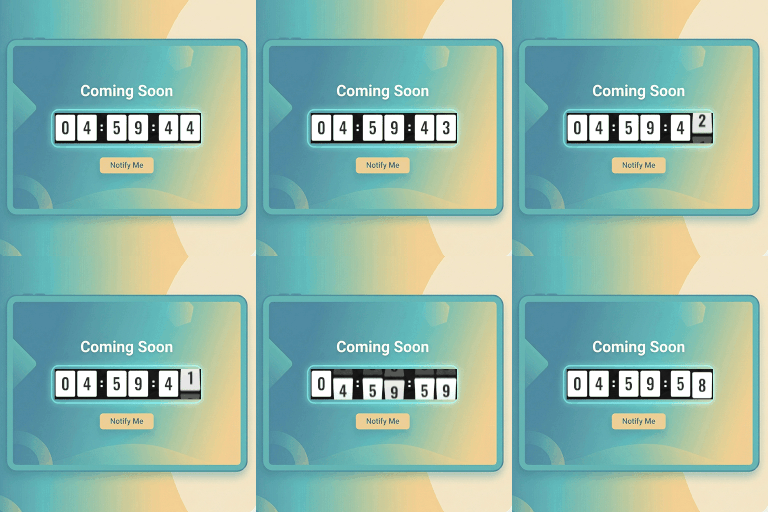
Flexible launch and maintenance pages
Coming Soon Maintenance Mode Pro helps WordPress administrators present a focused temporary page while a website is being built, updated, or prepared for launch. It combines coming soon and maintenance modes with design controls, countdown tools, lead collection, and integrations intended for pre-launch communication.
The Pro edition includes the features of the free version and adds a larger design library plus advanced visitor engagement and customization options. Use it for a new business site, an agency project, an online store, a portfolio, a restaurant, a real estate website, or another site that needs a temporary public-facing screen.
Premium templates and presentation
Pro provides access to 36+ premium designer templates covering niches such as agencies, SaaS, portfolios, restaurants, real estate, and e-commerce. The responsive design approach is intended to keep temporary pages usable across desktop, tablet, and mobile displays.
Background presentation can go beyond a static image. Add fullscreen video backgrounds from YouTube, Vimeo, or self-hosted MP4 files. Advanced background controls include linear and radial gradients, seven geometric patterns, and a live backdrop blur filter. For detailed visual adjustments, the Custom CSS Code Studio supports custom CSS with live injection.
Countdowns, launch automation, and leads
- Website Auto Launch: Automatically switch the website live when the countdown reaches zero.
- Lead capture: Collect visitor information while the main site remains unavailable or under construction.
- Newsletter integrations: Sync leads with Mailchimp v3, Brevo v3, MailerLite, or custom webhooks.
- Email notifications: Send welcome emails, administrator new-lead alerts, and site launch announcements through authenticated custom SMTP.
- Lead Manager: View, search, and filter captured subscribers, then export lead records to CSV from the dashboard.
The countdown uses client-side timing with timezone handling, helping visitors see the configured launch schedule. Coming Soon mode uses an HTTP 200 status code, while Maintenance Mode uses HTTP 503 for temporary maintenance situations.
Targeting and communication controls
Choose whether the temporary experience applies across the whole website or only to selected pages, posts, or the front page. Pro also expands social presentation beyond the basic Facebook, Twitter or X, and Instagram links. Supported channels include YouTube, LinkedIn, Pinterest, TikTok, Discord, Telegram, WhatsApp, and more.
Installation and setup
Install and activate Coming Soon Maintenance Mode Pro in WordPress, then select the desired mode from its administration settings. Choose a template, add your logo and headline, configure the description, set a countdown if needed, and select the background treatment.
Next, define the site-wide or selective targeting rules. If collecting leads, connect a supported newsletter service or custom webhook and configure authenticated SMTP for notifications. Preview the page on desktop, tablet, and mobile layouts before activating the temporary experience.